That’s probably the most common sentence my colleagues and I say at work these days.
AI didn’t arrive with a big announcement. It slowly crept into my daily engineering workflow—first as a coding assistant, then as a search tool, and eventually as something much closer to a thinking partner. Not a replacement. Not magic. And definitely not something I trust blindly.
I’m a lead engineer working in large, complex systems, where context, history, and tradeoffs matter just as much as writing code. In that environment, AI turned out to be most valuable not when it does the work for me, but when it helps me move faster through noise—finding information, understanding unfamiliar code, and turning rough ideas into something concrete.
This post isn’t about hype, fear, or “AI will replace engineers.” It’s a practical look at how I actually use AI today: where it saves me hours, where it still gets things wrong, and why I see it less as a threat and more as a rescuer.
AI as Your Trusted Slackbot
I love Slack. Not because I work for Salesforce. I used Slack long before that. I’ve worked with Teams back in my Microsoft days, but Slack is on another level.
And with recent Slackbot updates, Slack is no longer "communication" app. It’s a real assistant.
Slackbot now searches across Slack, Confluence, Google Drive, Canvas, GUS (Salesforce’s Jira-wannabe), and more. It doesn’t just return links — it consolidates information and generates a structured answer based on what I ask.
One recent example: my self-performance evaluation.
I do keep a document where I track contributions and progress, but let’s be honest, no one captures everything. But what got captured, automaticall and silently, was my Slack activity: discussions, design reviews, investigations, decisions.
So I asked Slackbot to summarize my contributions.

And boom! Out came a detailed list of work, grouped by features and discussions, with a clear impact summary, references, and footnotes. My job after that was pretty straightforward: merge it with my own notes and pass it through another LLM agent to polish it according to the evaluation template.
Is it perfect? No.
It once pulled demo slides from a “Maya” who was… not me (turned out it was a made-up Maya as a demo case 😄). It still requires my review to avoid hallucinations or incorrect context.
But saving hours of digging through old docs and Slack threads? That alone is a huge win.
Code Analyzer & Assistant
Of course, we can’t talk about AI without talking about code.
We’ve moved far beyond copilot that writes a function. With tools like Cursor, Claude Code and MCP-based agents, AI now helps me understand large codebases.
Not vibe coding.
Not replacing engineers.
But acting as a powerful assistant.
I can ask questions like:
“Who calls this function?”
“Map the flow from this UI component to the backend.”
“Which part of the code triggers this LLM orchestration?”
Within minutes, it maps relationships across modules in a massive monolith codebase and explains them in plain language—saving hours (or days) of digging through unfamiliar code. This is especially helpful when working in languages or systems that aren’t your home turf (hello, Java).
I felt this most during a recent hackathon. Within 24 hours, our team reused existing internal UI and server features from multiple teams, layered our logic on top, and aimed to get as close to production-ready as possible. We also used AI as part of the product itself, helping customers reduce onboarding time from months to hours.
The result?
New technical knowledge unlocked, a working demo with real data, and a hackathon award.
Professional Content Editor for Professional Discussions
One underrated use of AI: leveling up professional communication.
Writing technical design docs, business justifications, RCA reports, or even a Slack announcement used to be hard, especially as non-native English speakers. Engineers aren’t trained writers or marketers, and it shows.
With tools like ChatGPT or Gemini, I can now brainstorm ideas, structure my thoughts, draft proposals, get them refined, polished, and critiqued.
The key is asking for criticism. If you don’t, AI will happily agree with everything you write.
This isn’t limited to design docs. It’s just as useful for documentation, RCAs, or any message that goes beyond your immediate team.
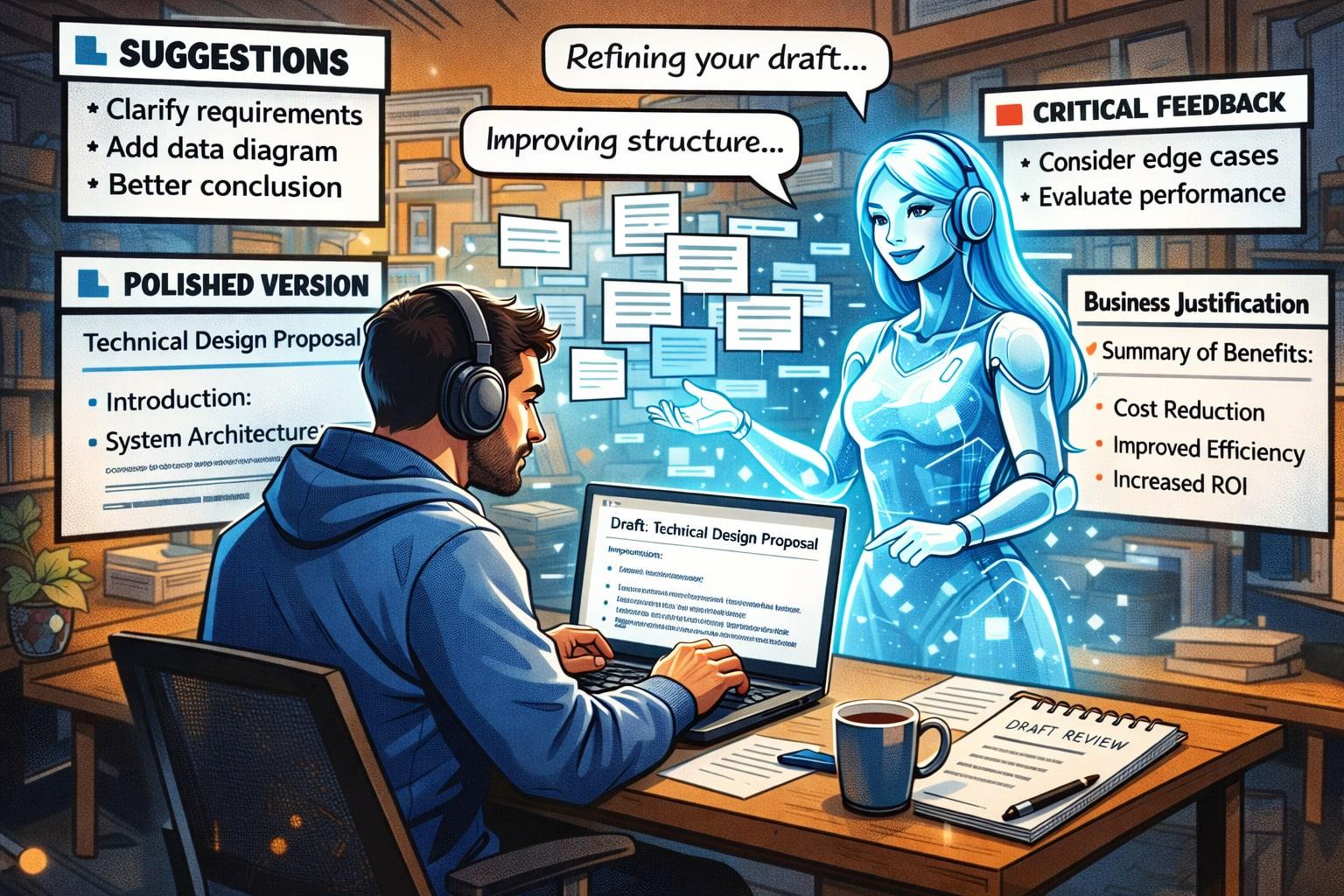
And yes, Slack announcements too. Feed it your intent, and it’ll give you a version that sounds like you, just clearer and without grammar issues.
I even built an RCA agent that generates detailed bug reports from investigations, Slack threads, and standard templates, ready for review and publishing. It also won a hackathon.
Pair Programmer That Turns Ideas Into Tools
One of the biggest shifts for me is how AI helps turn ideas into production tools.
Call it vibe coding if you want. But I use it to draft internal tools that boost productivity: setting up dev environments, provisioning mobile simulators, automating workflows with Python and Bash. Those things that used to take weeks of trial and error, now take a day or less, with fast feedback loops. From there, I refine and improve the solution myself.
Since leaning into this, I’ve released several small tools that help my team move faster and make impact sooner. And it doesn't stop there.
A Virtual Slack On-Call Engineer
Working across large systems and multiple projects usually means monitoring countless Slack channels—supporting product managers, solution architects, customer support, and other engineers. Many questions are repetitive or already answered in documentation or past discussions, but it’s often faster for people to tag the on-call engineer than to search for them. For us as engineers, constantly switching contexts across channels is expensive and inefficient.
By integrating AI agents into Slack, I can set up a virtual on-call engineer that monitors specific channels, is grounded in documentation, known issues, and discussion history, and continuously indexes new information. It answers common questions automatically and escalates only complex cases, reducing interruptions while still ensuring timely, accurate responses.
With this Engineer Agent, my team and I can focus on high-impact work without being bogged down by repetitive queries.

Summary
Will AI replace my job one day?
Maybe. Just like my role could be replaced by a younger engineer or by the industry evolving. No one is irreplaceable, especially at work. Even spaghetti code won’t save you forever.
But should I worry? I don't know. What I do know is this: AI helps me onboard faster, cut through noise, and focus on what actually matters—building better products. When AI is wrong, it’s on me to notice. When it suggests a shortcut, it’s on me to decide if it’s the right one.
I don’t see AI as a junior engineer or a looming threat. I see it as a companion—reducing friction, speeding things up, and helping me focus on what actually matters.
As long as I stay in control of the decisions, that’s a tradeoff I’m happy to make.
👉 If you’d like to continue the conversation, you can find me on X or LinkedIn.
Found this post helpful? Give it a like or share it with someone who might need it 👇🏼
Learning Vue
Learn the core concepts of Vue.js, the modern JavaScript framework for building frontend applications and interfaces from scratch