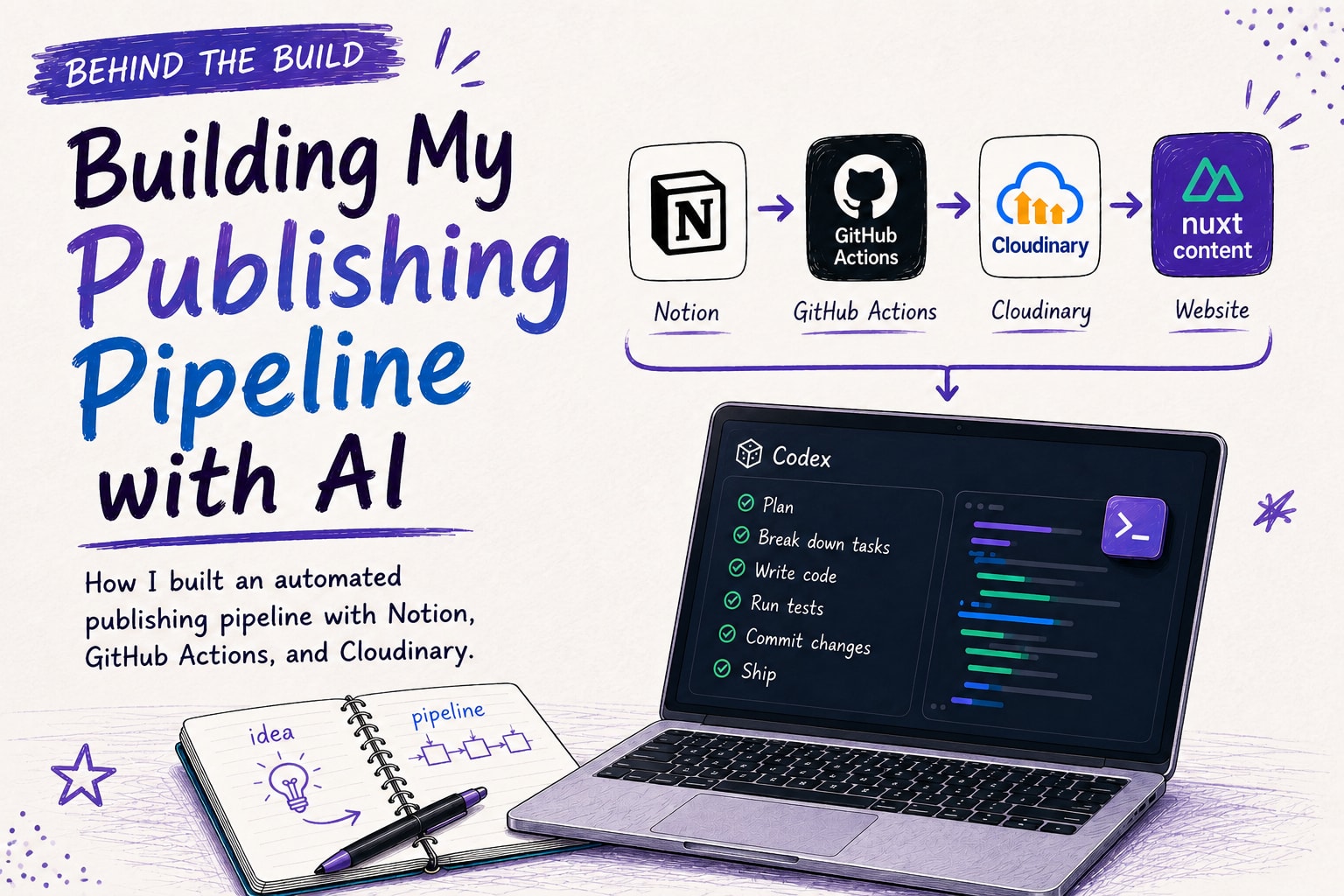
Writing and publishing articles has always been a challenge for me, especially with my content in Markdown and spread across different tools. I decided to build an automated publishing pipeline and let Codex implement most of it. But writing the code wasn’t the hard part. Designing the system and teaching AI how to build it turned out to be much harder.
The Pain Of Manual Publishing
My blog is powered by Nuxt Content and Markdown files. As my content grew, publishing an article often took longer than writing it. The limited Markdown editing experience and the need to work from my laptop didn’t help either.
The biggest pain was managing my media assets. Since I use Cloudinary to optimize images and videos, every article meant uploading media files, copying the generated URLs, adding transformation parameters, embedding them with custom <img> or <video> tags, and finally writing meaningful alt text.
And once the article was published, I still had to cross-post it to Dev.to , and promoted it on social media.
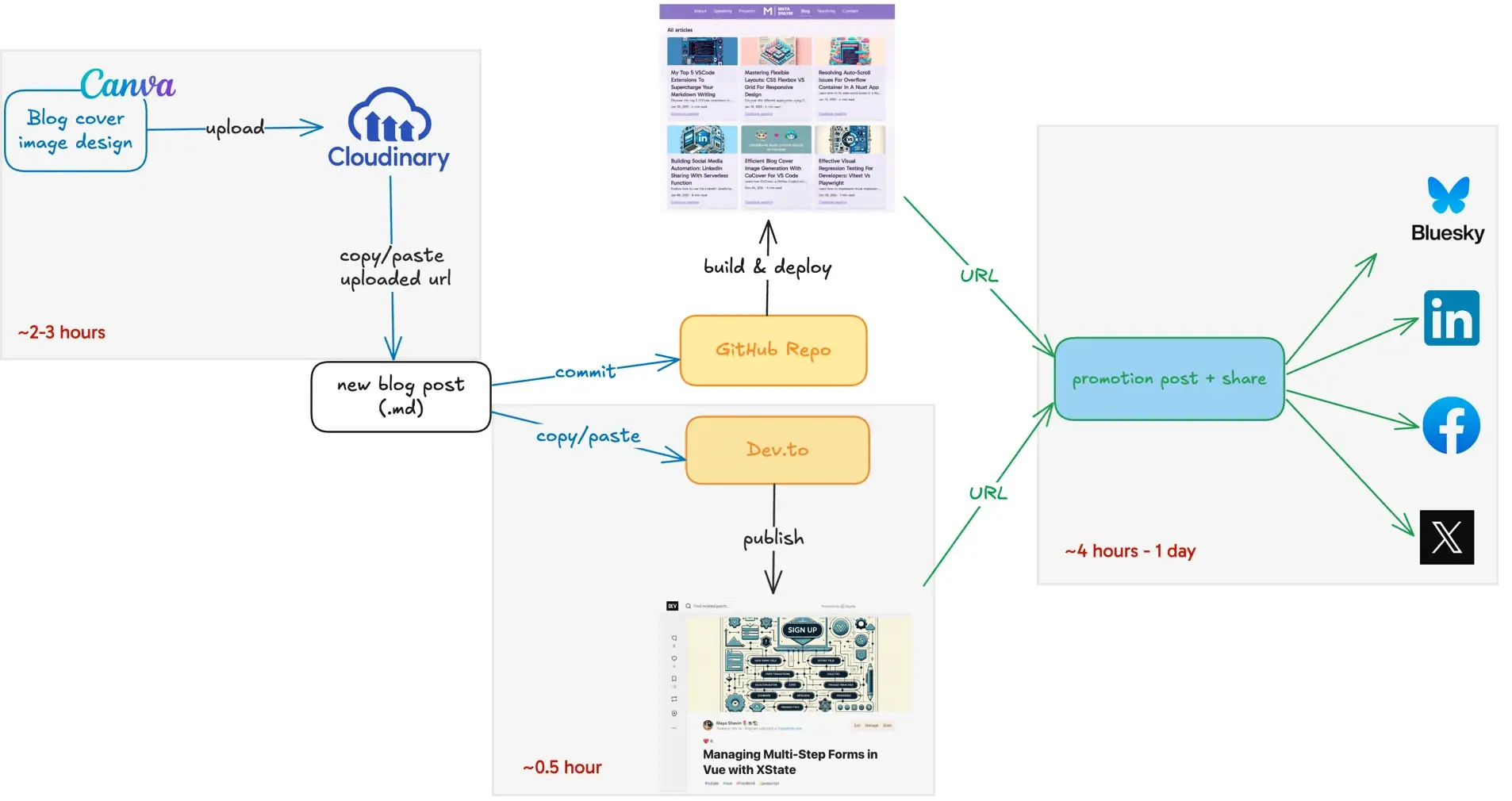
At a certain point the whole process has become tedious. It was clear that the workflow needed a redesign and proper automation pipeline. I also wanted a better writing experience, and since I already planned all my articles in Notion, it naturally became the best candidate for my editorial workspace, while the publishing pipeline took care of everything else.
The Final Workflow
Before building anything, I analyzed the existing workflow and identified the main goals for the new one, including:
- Notion should be the only place where I edit my drafts
- Publishing should require as little manual work as possible.
- Media assets should be managed automatically.
- My existing deployment remains unchanged.
- Cross-posting should happen automatically.
- Notion and my repository should stay synchronized throughout the publishing process.
With these goals in mind, I designed the workflow around 4 main components:
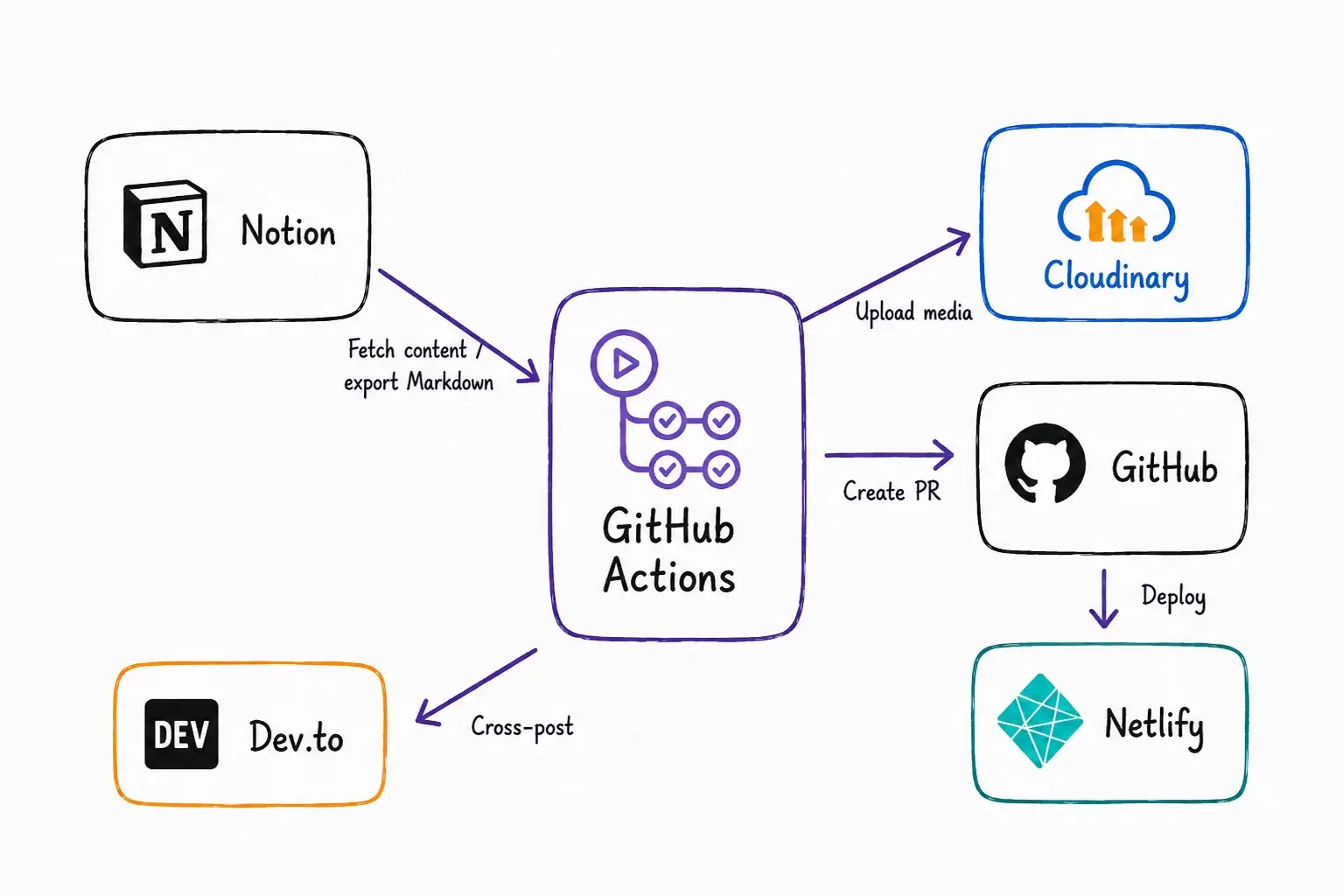
- Notion became the single source of truth for my content, offering a much better writing experience while supporting Markdown export through its API.
- Cloudinary manages and optimizes media assets for better site performance.
- GitHub Actions orchestrates the publishing workflow and securely coordinates data between each component.
- Netlify continues handling deployments, keeping the release process unchanged and reliable.
During the publishing process, media assets are uploaded to Cloudinary, before the exported Markdown file is updated with the optimized URLs. The final article is then committed to my website repository through a pull request, published by Netlify, and automatically cross-posted to Devto.
Throughout the process, the article status is synchronized back to Notion, making it easier to retry or roll back if anything goes wrong.
With the architecture ready, the next challenge was to turn it into a reliable pipeline. And that is where Codex came in.
Collaborating with Codex
You might wonder why I don’t let Codex design the architecture from the beginning. My answer is simple: because I understand the problem better than any AI could. Choosing the right components, defining their responsibilities, understanding their tradeoffs, and designing the workflow were decisions based on my own requirements, and should remain that way.
Codex only became my implementation partner after the architecture is ready. Using /plan mode, Codex broke the project into smaller achievable phases, generated implementation plans, and tackled one task at a time. Working in small goals made it much easier to review and catch issues early.
And me? I could finally make myself a coffee and watch World Cup matches while the agent worked.
Sounded great, right? Except it didn’t quite turn out that way. As the implementation progressed, we (Codex and I) started uncovering the wrong assumptions that neither of us had considered during the design phase.
Key lessons learned working with AI
While “letting your AI agent work for you with trust” is a great idea, there are some limits and lessons you should be aware of in order to maximize its efficiency. There are several things I learned, some in a hard way.
AI Only Knows What You Know
Initially, I assumed that in the publishing workflow, uploading media assets happens after the Markdown has been retrieved from Notion through a search for the relevant generated Markdown. I was wrong.
Notion stored and embedded uploaded media differently from external media. My original design assumed they could be all processed at the end in the same way, which wasn’t true. This error led to broken UI of the target article, though the end-to-end test completed in a “green” pass.
The interesting part was Codex wasn’t wrong. It implemented exactly what I described. And if I lacked that knowledge, it wouldn’t know better.
To solve this issue, I stepped back, researched the Notion APIs, and redesigned the workflow. My agent then revised the implementation, where the pipeline now processes assets first through Block API before generating the Markdown.
That said, AI didn’t fail because of lacking documentation. It failed because my design was based on a flawed assumption. Once I understood the problem and updated the architecture, the agent generated the correct implementation. Your agent can only reason within the context you provide. The better your understanding of the problem, the better your agent can solve it.
Review The Commands Your Agent Uses, Too
During implementation, Codex frequently ran CLI commands to validate its changes. Since I stored my Notion and Cloudinary credentials in an .env file ignored by Git, I assumed everything was safe. Again I was wrong.
While reviewing one of the generated command, I noticed this:
bash -lc 'set -a; source .env;
The command exposed my environment variables by expanding them directly in the shell, making them visible in the shell history. Node.js 20+ provides a safer alternative to avoid this issue.
node --env-file=.env
That incident convinced me not to blindly auto-approve AI-generated commands. Code reviews should not only apply to source control, but also include the commands an agent runs on your local machine.
Good Tests Matter Even More
With AI implementing most of the code, good acceptance tests become even more significant. Without them, it’s hard to identify whether the agent is solving the given problem, or just simply making its own code pass.
Like many engineers, Codex tends to write tests that validate its own implementation. Those tests aren't necessarily wrong, but they don't always validate the behavior I actually want.
To avoid this, I use my /test-plan-generate skill to generate a test plan and acceptance scenarios based on the testing quadrants before implementation starts. Another approach is to let a different agent write the tests, keeping implementation and validation independent. But regardless of who writes the tests, the quality of AI-generated code always depends heavily on the quality of the acceptance tests.
Use The Right Model For The Right Job
One thing I learned was that using the most capable model for every task wasn’t worth it. Sometimes it slowed down the workflow while consuming a significant amount of tokens. Planning may benefit from frontier model like GPT5.5 or Fable, but implementation and validation may not. Choosing the right model for each task can give me similar result quality and still keep my token usage under control better:
- Planning - GPT5.6 (High) or another frontier model for reasoning, thinking, and validating tradeoffs.
- Implementing - GPT5.5 (Medium) or Sonnet, depending on how complex the task is. Once tasks are broken into smaller well-defined subtasks, the output quality is comparable.
- Validation & other side tasks - Fast mode or lower models like 5.4 Mini are usually enough for reviews, verification and smaller tasks.
Train Your Agent As You Work Together
As the project grew, I found myself repeating the same instructions over and over again. And that’s not productive for the long run.
After finishing a task, I practice a habit of asking my agent to summarize what worked well, what didn’t, and which instructions should become permanent. Over time, this process reduced repetitive feedback, made execution smoother and faster, better aligned with my workflow. Treat your agent as a collaborator and teammate with knowledge about your workflow, and it will collaborate with you as best as it can.
On Build With Maya, I share lessons from software engineering, AI, content creation, and the systems behind building things that scale.
If you enjoyed this breakdown, you might enjoy the podcast too.
What’s Next
Building this pipeline also changed how I work with my AI Agent. I now spend much less time asking it to write code and much more time designing the right system and defining the expected success for it to follow.
In the next article, I will dive into why GitHub Actions became the orchestrator, the architectural tradeoffs behind, and how I built each component.
👉 Learn about Vue 3 and TypeScript with my book Learning Vue!
👉 If you'd like to catch up with me sometimes, follow me on X | LinkedIn.
Like this post or find it helpful? Share it 👇🏼 😉
Learning Vue
Learn the core concepts of Vue.js, the modern JavaScript framework for building frontend applications and interfaces from scratch